Plan Once.
Publish Everywhere.
Build your content calendar in one place and push it to Instagram, TikTok, Facebook, LinkedIn and X, on schedule, without opening five apps every morning. AI helps write the caption, pick the hashtags, and tell you the best time to post.
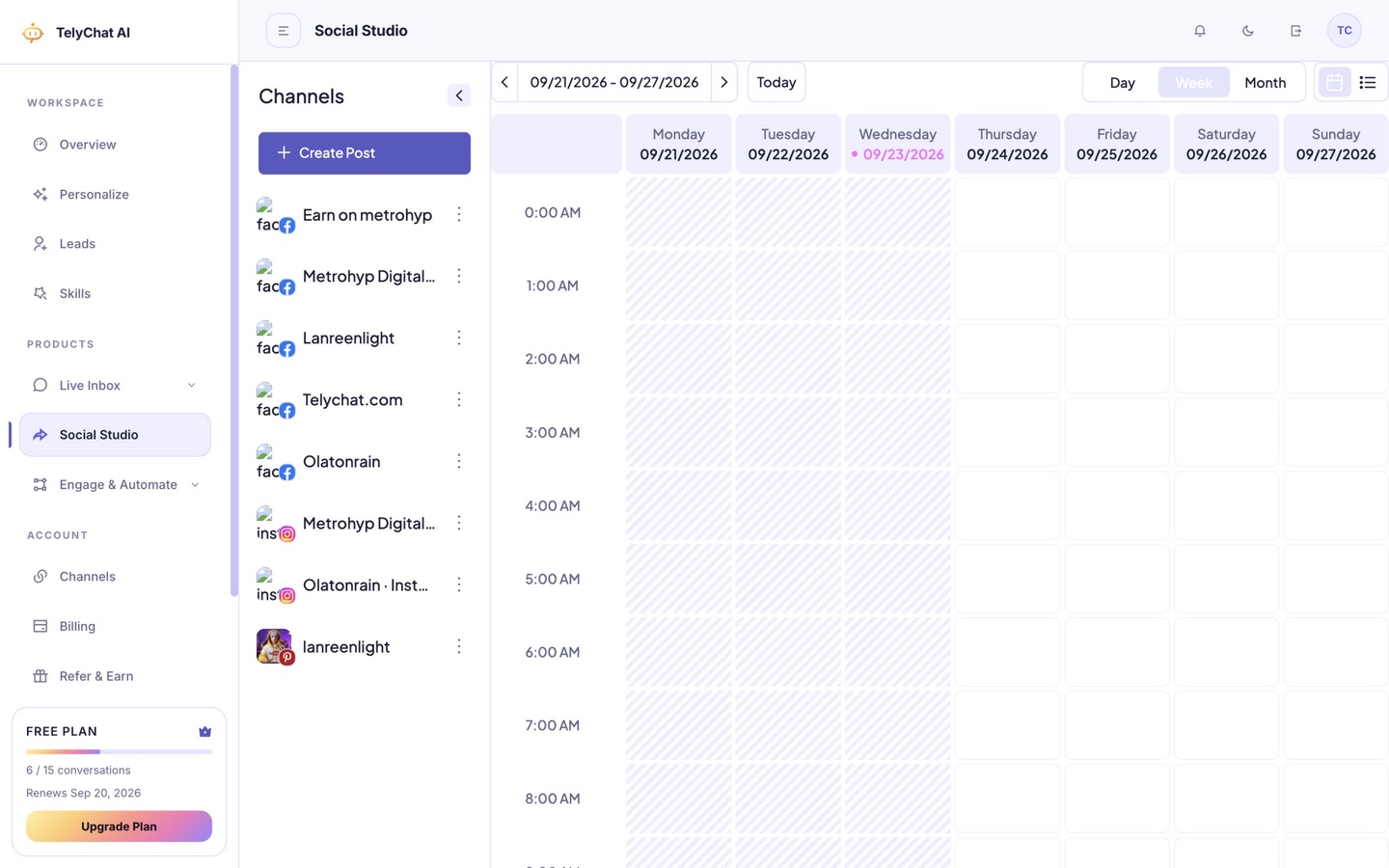
Content Chaos: A Before & After
Before Social Studio
Screenshots in a WhatsApp group, a spreadsheet nobody updates, posting to Instagram then remembering TikTok an hour later, and no clean answer for "what actually performed this month."
After Social Studio
One drag-and-drop calendar. Draft once, approve, and it goes out to every connected platform at the exact time you set, with performance data waiting for you the next morning.
What's Inside Social Studio
Visual content calendar
See every scheduled post across every platform on one drag-and-drop calendar. Move a post, duplicate a campaign, or spot a gap in your posting rhythm at a glance.
Multi-platform publishing
Write once, tailor per platform, and publish to Instagram, TikTok, Facebook, LinkedIn and X from a single composer, no re-uploading the same video five times.
AI captions and hashtags
Generate on-brand captions, hooks and hashtag sets from a short prompt or an existing post, then tweak the tone before it goes live.
Best-time-to-post suggestions
Get AI-informed posting windows based on your audience activity, so content lands when people are actually online instead of on a guess.
Team approval workflow
Draft, review, comment, and approve before anything goes live, so a client or manager signs off without ever leaving the calendar.
Bulk scheduling
Upload a month of content in one batch and let Social Studio queue it across platforms automatically, freeing your week for strategy instead of clicking "post."
Performance analytics
Reach, engagement and follower growth per platform and per post, so you know which content to repeat and which to retire, backed by numbers, not vibes.
Media library
Store brand assets, logos, and reusable clips in one library, and pull them straight into any post without hunting through old folders.
One calendar for every connected account, with per-platform scheduling and status.
Platforms Social Studio Publishes To
Instagram (feed, Reels, Stories), TikTok, Facebook Pages, LinkedIn (personal and company pages), and X, all connected once and managed from the same calendar and composer. New platforms roll out to every plan as they ship.
Social Studio in Three Steps
1. Connect your accounts
Link Instagram, TikTok, Facebook, LinkedIn and X once from your dashboard.
2. Draft and schedule
Write a post, let AI polish the caption, tailor it per platform, and drop it on the calendar.
3. Publish and measure
Posts go out automatically at the scheduled time, and performance data flows back into one dashboard.
Built for Anyone Posting on More Than One Platform
Creators & personal brands
Batch a week of content in one sitting and let it publish itself while you focus on filming the next batch.
Small business owners
Keep every platform active without hiring a full-time social media manager.
Agencies
Manage multiple client calendars, route approvals to the right client, and report performance without exporting a single spreadsheet.
Social Studio FAQ
Can I schedule the same post to multiple platforms at once?
Yes. Compose once, adjust formatting per platform if needed, and publish to all connected accounts on one schedule.
Does it post video and Reels, not just images?
Yes, Social Studio handles image, carousel, Reels and TikTok video scheduling from the same composer.
Can a client approve posts before they go live?
Yes, the approval workflow lets you route drafts to a reviewer who can approve, comment, or request changes before publishing.
Is Social Studio included on every plan?
It's included on paid plans, alongside Live Inbox and Engage & Automate. Check the pricing page for exact platform and post limits per tier.
Stop Posting Manually, Everywhere
Start free and connect your first platform in minutes.